Windows 10 and 11 app
Interview hints that arrive before the awkward pause
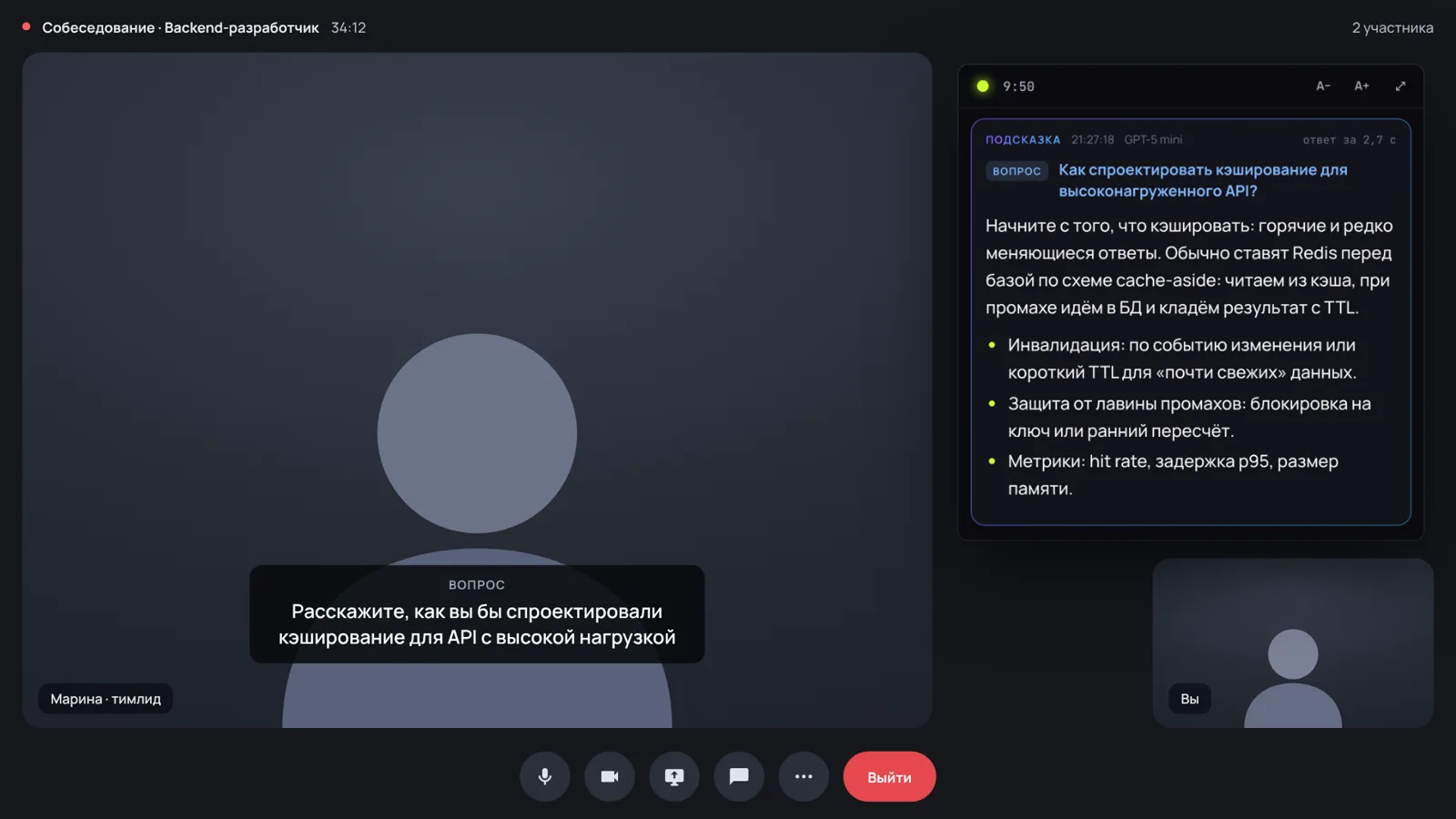
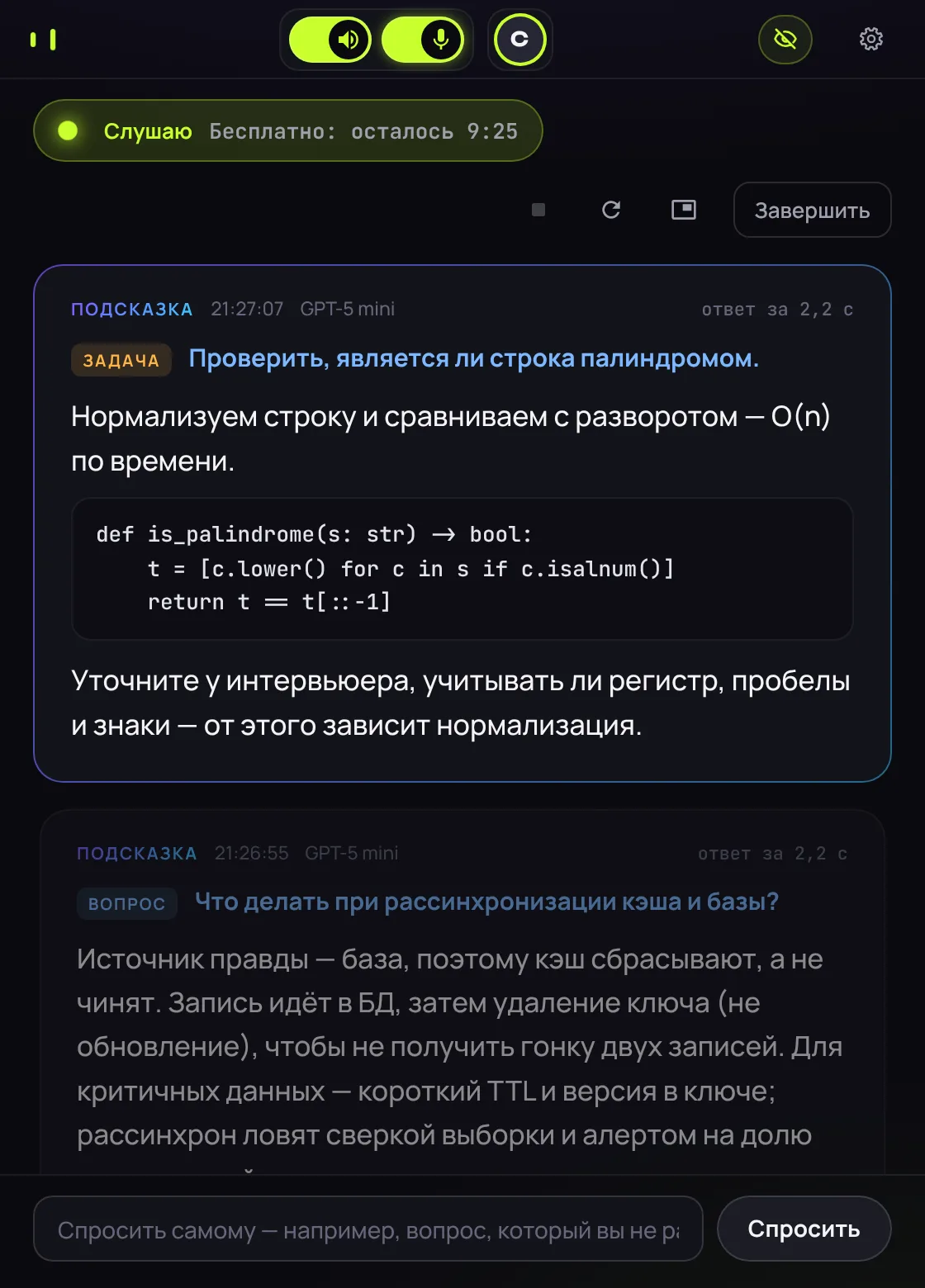
Remarka hears the interviewer's question and shows answer points about 2 seconds later, based on the job description and your resume. The hint window stays out of screen sharing. Answers come from your own ChatGPT or Claude.
Free: every feature, sessions up to 10 minutes. No sign-up.
Speed
From the end of the question to the first words of a hint
Claude Haiku median: 2.25 s. Measured November 2026, from the end of the interviewer's sentence to the first words on screen.
How it works
Three steps before your next interview
Connect your AI
Sign in to ChatGPT or Claude through their official apps, or paste your own API key.
Add the job and your resume
Hints follow your experience and this company's requirements, not generic advice.
Press Listen
Remarka hears the call audio from Zoom, Meet or Teams, picks out the question and shows short answer points.
Screen sharing
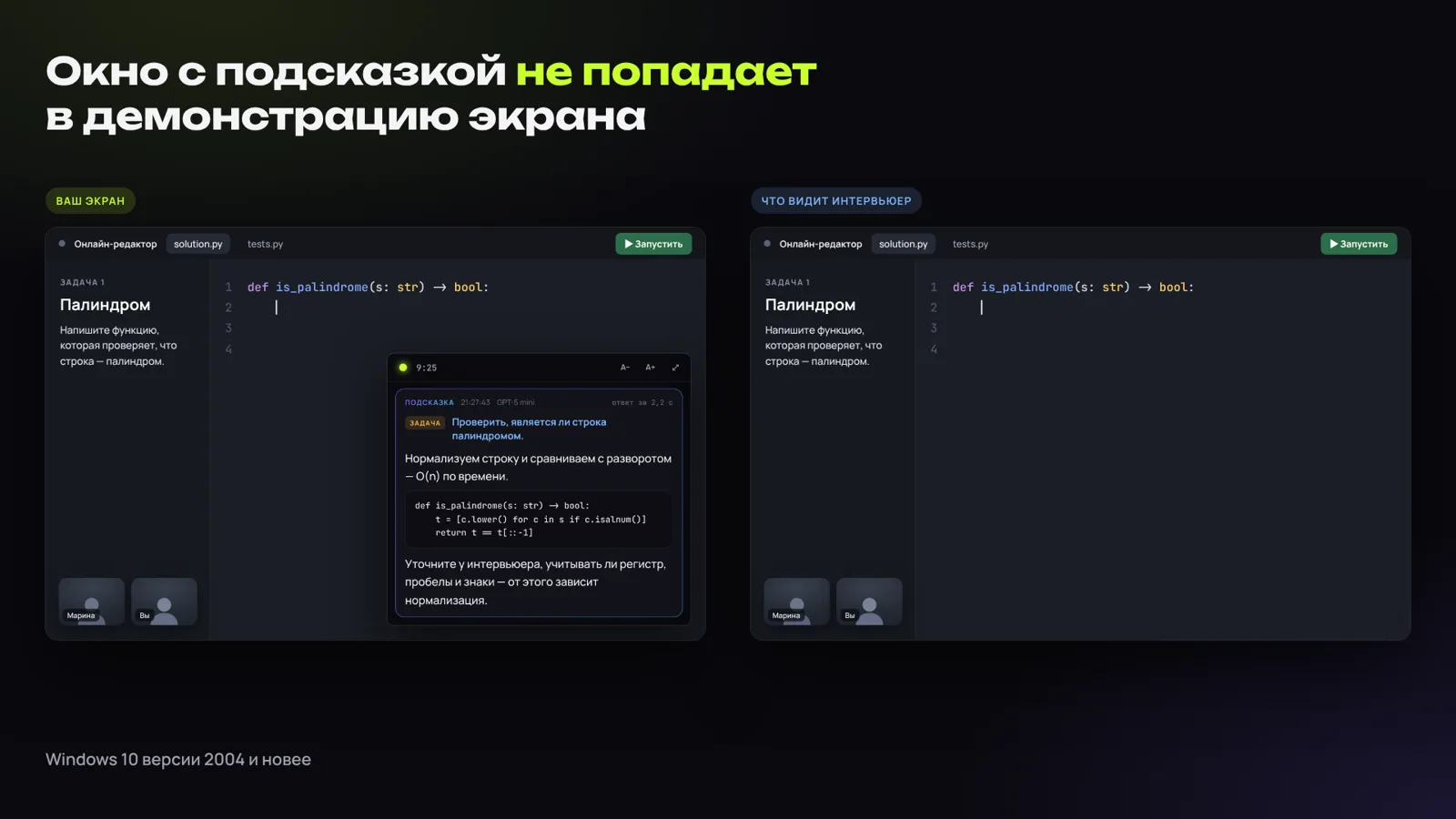
The interviewer sees your screen without the hint window
When you share your screen for a coding task, the Remarka window is left out of the stream. It works at the Windows level, so it behaves the same in Zoom, Meet and Teams.
Windows 10 version 2004 or later, Windows 11.
Also
Built for live interviews
Coding tasks
An approach, a complexity estimate and clarifying questions to ask the interviewer.
English and Russian
For English interviews the app downloads a dedicated speech model.
Audio stays on your PC
Speech is recognized locally. The AI only gets the question text.
No GPU needed
Runs on an ordinary office laptop. All numbers above come from an i5 without a discrete GPU.
Transcripts off
Nothing is saved unless you turn recording on.
Global hotkey
Ctrl+Shift+Space starts and pauses without switching windows.
Pricing
Free to try
Every feature is free with sessions up to 10 minutes. Paid keys without the time limit are coming for international users soon. Your ChatGPT or Claude plan is paid separately.
FAQ
Frequently asked questions
What is Remarka?
Remarka is a Windows app that helps during online job interviews. It hears the interviewer's question, transcribes it locally on your PC, and about 2 seconds later shows short answer points tailored to the job description and your resume. The answers come from your own ChatGPT or Claude.
Can I use a free AI plan?
- ChatGPT: yes, with limits. A free ChatGPT account works: just sign in from the app. Free usage limits are the smallest, though, and can run out during a long interview. The app shows how much is left. For regular use, Plus is more reliable.
- Claude: no. The free Claude plan doesn't include the access Remarka needs. You need Claude Pro or Max, or your own Anthropic API key.
- OpenAI and Anthropic API keys are pay-as-you-go, with no free allowance.
You can also try Remarka itself for free: without a licence key, sessions last up to 10 minutes.
Does the hint window show up when I share my screen?
No. The hint window is excluded from screen sharing and screen recording on Windows 10 version 2004 or later and on Windows 11. We verified it in a live screen share.
Your mouse cursor is still visible, and the taskbar button can be hidden in Settings → Window.
Which video call apps does it work with?
Any app that plays sound through your PC speakers or headphones: Zoom, Google Meet, Microsoft Teams, Webex, Slack huddles and others. Remarka listens to your computer's audio, so there is nothing to connect to the call app.
How fast does a hint appear?
The first words of a hint appear about 2 seconds after the question ends. Measured on a laptop with an Intel Core i5-10310U and no GPU: median 2.05 s with ChatGPT, 95% of hints faster than 3.08 s. About 0.8 s of that is speech recognition.
Do I need a powerful GPU?
No. Speech recognition runs on the CPU. All speed measurements were made on an ordinary office laptop with a 10th-gen Intel Core i5.
Where does my data go?
Speech is recognized on your computer and audio is never uploaded. Only the question text, job description and resume are sent, and only to the AI you chose. Transcripts are not saved by default. Access keys are stored encrypted on your PC. See the privacy policy.
Does it work for interviews in English?
Yes. English uses a separate speech recognition model of about 630 MB, which the app downloads the first time you choose English.
How much does Remarka cost?
Remarka is free with all features and sessions up to 10 minutes. Paid keys without the time limit are coming for international users soon. Your AI subscription or API usage is paid separately.
Is it fair to use hints in an interview?
Remarka is there for the moment your mind goes blank: it reminds you of points you already know, and you answer in your own words. If a company explicitly forbids assistive tools, respect that rule.
Why does my antivirus show a warning?
The app is not yet signed with a paid code-signing certificate, and some antivirus tools warn about any unsigned program. Download Remarka only from this site and check the SHA-256 checksum next to the link.
Is there a Mac version?
Not yet. Remarka runs on Windows 10 version 2004 or later and Windows 11.
Download
Try it on your next call
Download for WindowsOS: Windows 10 version 2004 or later, Windows 11
CPU: Intel Core i5 or equivalent, no GPU needed
Disk: about 350 MB, plus 630 MB for English
SHA-256: listed for each release